What it does
Put a few compatible iPhones on the same moment and come back with everybody’s angle—perfect for collabs, interviews, podcasts, performances, games, events, and the kind of night one camera could never cover.
 VidFuego
 The whole crew gets an angle.
Put a few compatible iPhones on the same moment and come back with everybody’s angle—perfect for collabs, interviews, podcasts, performances, games, events, and the kind of night one camera could never cover.
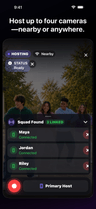
Squad Fuses
Put a few compatible iPhones on the same moment and come back with everybody’s angle—perfect for collabs, interviews, podcasts, performances, games, events, and the kind of night one camera could never cover.
Nearby uses a reliable local or peer-to-peer connection. Paid hosts can choose Anywhere for invited participants over internet or cellular.
Available from Free
Compare plansAnywhere can use cellular data. Carrier data, roaming, overage, internet, SMS, or messaging charges may apply. Nearby still depends on the app being open and the live connection being available—it is not passive background discovery.
Squad Fuses
Host the session, invite the cameras, and start together. The angles come back in sync, ready for highlights, alternate cuts, creator collabs, brand posts, or the group chat recap nobody will stop replaying.
VidFuego for iPhone
Start free, pull in your friends, and turn one moment into something worth posting. When you want more, take the paid creator tools for a seven-day spin.
Solo Dual-Cam, two-camera Nearby, Remix, 720p exports, and recordings up to 10 minutes—no trial needed.
Eligible new Enthusiast or Pro subscriptions can try paid creator tools free for 7 days.
Made for real ideas
From setup to share

Nearby uses a reliable local or peer-to-peer connection. Paid hosts can choose Anywhere for invited participants over internet or cellular.

Share a camera invitation link for Anywhere, or admit available Nearby cameras from the live session. Every participant chooses to join.
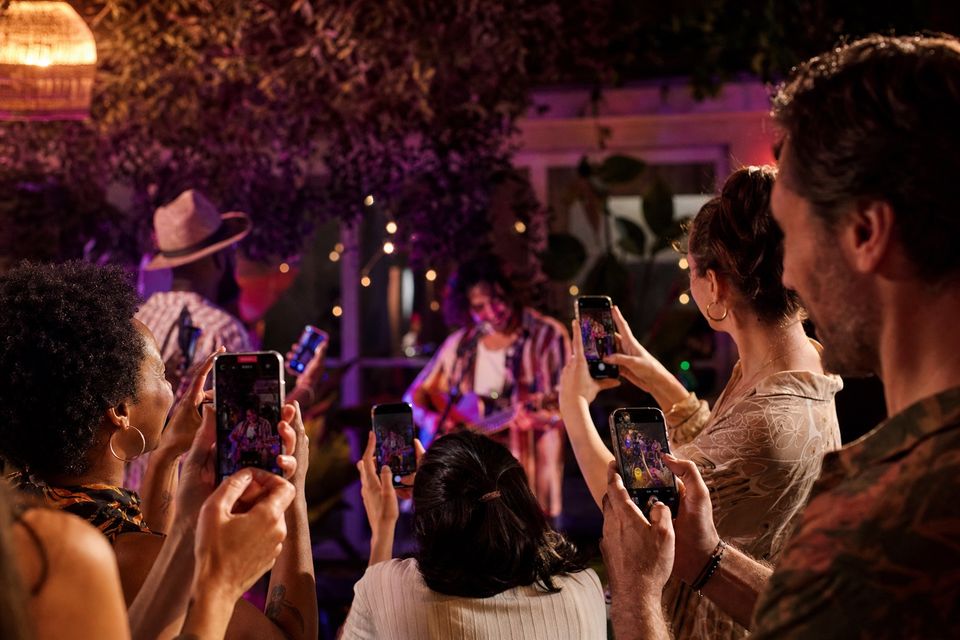
The host coordinates the take. Clips return locally or through temporary Anywhere delivery, then appear together for camera review and export.
Anywhere can use cellular data. Carrier data, roaming, overage, internet, SMS, or messaging charges may apply. Nearby still depends on the app being open and the live connection being available—it is not passive background discovery.
Creator recording guides
Give each supported device a distinct camera job and begin with a two-camera Nearby Squad Fuse. Record a short rehearsal and review picture, sound and the exported layout. Free includes two-camera Nearby recording; additional cameras and Anywhere hosting depend on your plan.
Start with a clear show format, reliable sound, and two useful camera views. Phones can provide practical coverage when you rehearse the complete recording workflow.
Read the guideGive a cooking show's cameras distinct jobs: overhead preparation, a safe view of the stove, and host explanation. Record the same stage together so edits preserve the order of the recipe.
Read the guideRouter-free nearby communication is implemented by the app using supported networking frameworks; users do not manually create a universal peer-camera network in iOS Settings. Rehearse discovery on the actual devices.
Read the guideVIDFUEGO
Catch the action, your reaction, and the angle everybody else missed—then pull it together and drop it wherever you post.
Allow Google Analytics to measure website visits and App Store clicks? You can change this choice below at any time.Privacy